


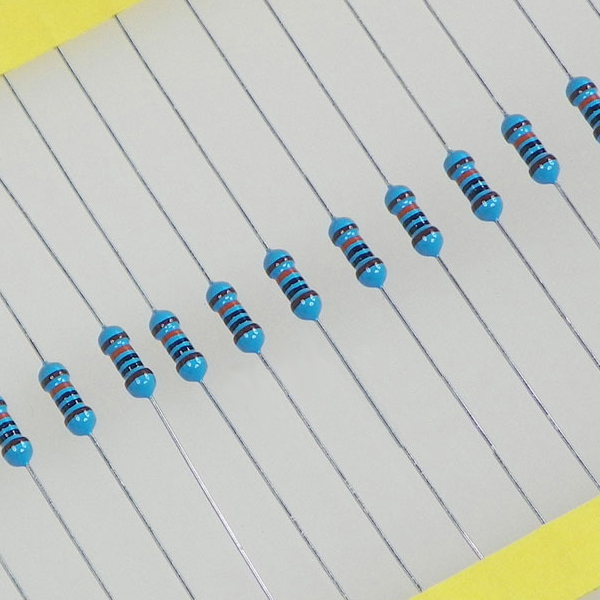
Resistors
Bodac Pack
Availability:
91 in stock
The Bodac is a system that allows to implement several buttons on a single analog input, with the possibility to have several buttons pressed at the same time. The “usual” systems (resistors ladders or matrix without diodes), do not allow to press several buttons at a time.
The benefit of the Bodac compared to a button matrix with diodes is a simpler wiring: a resistance between each button pin, and a single wire between each button.
This pack of 1% precision resistors allows to create a Bodac with 5 buttons or less.
NodeBlue example : https://www.electroseed.fr/shop/gui/index.php?file=examples/02-Digital/BodacHID.txt
1,50 € incl. VAT (1,25 € excl. VAT)
91 in stock
| Weight | 0,001 kg |
|---|---|
| Dimensions | 1 × 1 × 1 cm |
Pinout

Tutorials
Axis Calibration
You will need to have a “NodeBlue Interface”, “SimHub Interface” or “Nextion Interface” module in your project.
Attention : if the USB port is used for a Nextion, leds or other Simhub interfaces, you’ll need to disconect SimHub in order to free the serial COM port.
Plug your board. In Node Blue, load the project that has been uploaded on the board, and open a serial monitor (at the top of the window, select the correct COM port and click on the # icon), You can see the calibration messages in the serial monitor (window at the bottom in Node Blue). You can also display the “Controllers” tab at the top right.
For each bodac:
- Release all buttons of the bodac
- Click on the “Cal” input of the bodac module. Once cal is pressed, a message appears in the serial monitor window. Follow the instructions for each button.
- Once the calibration is complete, the parameters are saved in the flash memory of the board and are restored at each restart.
Once the calibration of all bodacs is complete, save the project so that the settings are saved, either by using the “Save project” menu or with the CTRL-S key combination. If the project is read-only, use the “Save As” menu and choose another name.